Perplexity Computer vs OpenClaw: Managed AI Worker vs Self-Hosted Agent
Perplexity Computer vs OpenClaw, compared across setup, pricing, channels, security, model choice, and who each AI agent platform fits best in 2026.


Perplexity Computer vs OpenClaw looks like a clean head to head between two AI agents. It is not.
I reviewed Perplexity's launch posts and help docs, OpenClaw's docs and latest GitHub release, pricing pages, creator transcripts and recent security coverage on March 25, 2026.
Short answer. Pick Perplexity Computer if you want the cleaner managed AI worker with less setup, tighter guardrails, and a better out of the box experience for research, docs, decks, and connected app tasks. Pick OpenClaw if you want self hosting, Telegram or WhatsApp access, wider model freedom, and full control over how the agent stack runs.
Perplexity Computer vs OpenClaw at a glance
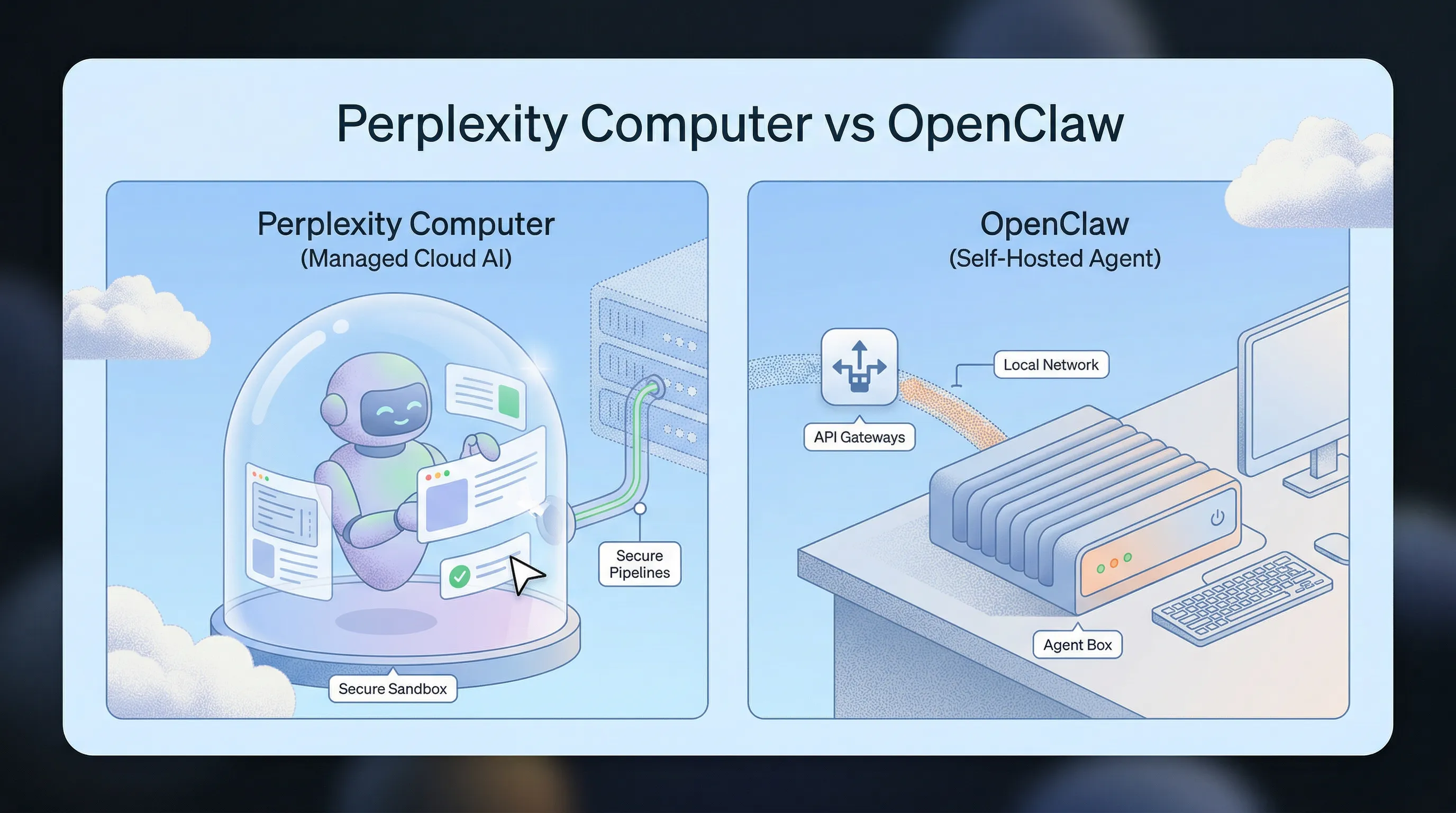
Perplexity Computer starts from the task.
OpenClaw starts from the runtime.
That sounds small. It changes everything.
Perplexity's own help docs frame Computer as the part of the product that does the work, not just answers the question. The launch post says it can break a goal into sub-agents, use a real browser and filesystem, and run work asynchronously in an isolated cloud environment. This is a productized worker.
OpenClaw's own onboarding docs tell a different story. Setup means choosing a model provider, workspace, Gateway, optional chat channels, and an optional daemon. That is not just a feature checklist. That is the architecture. OpenClaw is an agent platform first.
So the real choice is not "which AI agent is smarter?"
It is closer to this:
- Perplexity Computer says, "tell me the outcome and I will handle the stack."
- OpenClaw says, "build the stack you want, then run your agent on top of it."
That split shows up fast in three places:
- Access model: Perplexity launched Computer for Max subscribers, while the current help center says Computer is available through an active subscription inside Perplexity. OpenClaw is open source and self hosted by default, with a separate cloud plan if you do not want to run it yourself.
- Control: Perplexity gives you a managed multi-model system. OpenClaw lets you bring your own providers, local models, channels, and skills.
- Surface area: Perplexity mostly feels like one product. OpenClaw feels like your own agent box with a Gateway, web UI, and chat app endpoints.
If you miss that distinction, the rest of the comparison gets muddy fast.
Where Perplexity Computer is better
Perplexity Computer is better if you want the easiest route from prompt to finished work.
No local install. No daemon. No QR pairing. No deciding whether you want Ollama, OpenRouter, Anthropic, or something else before you even start. You open Perplexity, click into Computer, and hand it a task. That matters. A lot of people do not want to become part-time infra operators just to get an AI worker.
Perplexity also has the stronger managed story for research-heavy workflows. Its docs and launch posts tie Computer to Gmail, Outlook, GitHub, Linear, Slack, Notion, Snowflake, Databricks, Salesforce, premium data sources, and a secure cloud sandbox with persistent memory. The March 11 expansion post also pushed harder into enterprise controls like SSO, audit logs, connector permissions, billing controls, and isolated task environments.
It also helps that Perplexity owns the whole harness. The launch post describes Computer as routing work across different frontier models depending on the task. You are not building the routing layer yourself. You are buying the result of that routing layer.
For non-technical users, that is an edge. One creator comparison I reviewed made the same point in plain English: Perplexity Computer feels more beginner friendly because there is no installation step at all.
Still, there are tradeoffs:
- It is expensive. Perplexity Max is documented at
$200/monthor$2,000/year, and Computer is tied to that premium packaging. - The access rules are still moving. The launch post tied Computer to Max. The help center wording now points to active subscribers more broadly. That tells you Perplexity is still shaping the product tiers.
- You get less raw control. You are using Perplexity's environment, Perplexity's connectors, and Perplexity's operating model.
If your main goal is to get useful work done with less friction, those tradeoffs may be fine.
If your main goal is ownership, they may annoy you pretty quickly.
Where OpenClaw pulls ahead
OpenClaw wins when you care more about control than polish.
Its docs support a much wider provider matrix than Perplexity exposes directly as a user product. OpenClaw can run with Anthropic, OpenAI, Google, OpenRouter, Ollama, vLLM, Perplexity search, and a long list of other providers. If you want local models, custom endpoints, or a different routing setup, OpenClaw is built for that kind of user.
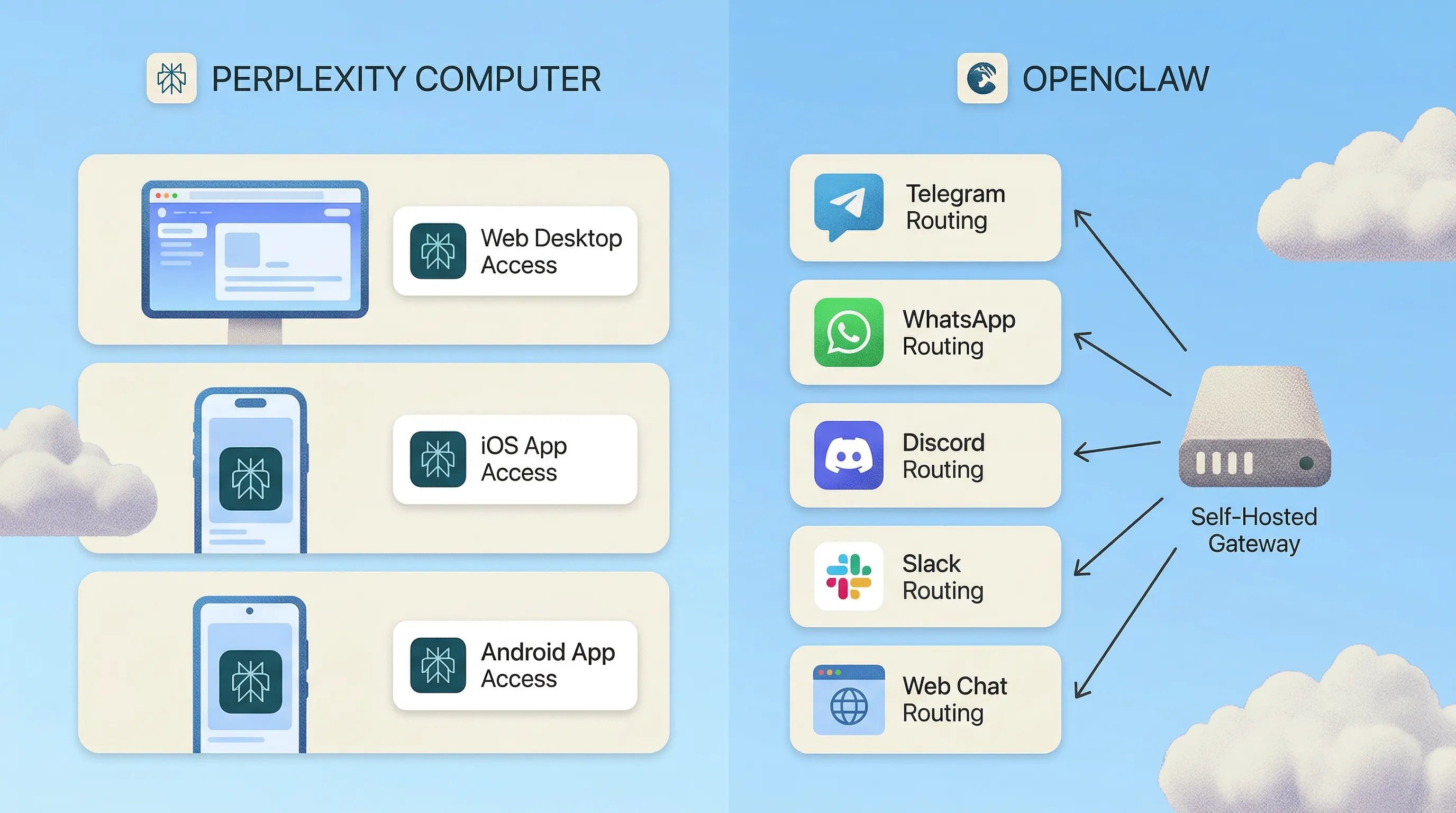
The channel story is also much broader. Official OpenClaw channel docs list Telegram, WhatsApp, Discord, Slack, Signal, WebChat, and more. That is a very different shape from opening a managed web app and clicking "start a task." If you want your agent to live inside the chat apps you already use, OpenClaw still has the more flexible reach.
That is why so many OpenClaw demos feel different from Perplexity demos. In the creator transcripts I reviewed, the common setup was not "open browser, run task." It was "run OpenClaw on a dedicated machine, connect Telegram or WhatsApp, and talk to your assistant from your phone while it keeps working in the background." That is peak OpenClaw.
Pricing can also bend in OpenClaw's favor, but only if you read the fine print.
The software itself is free and open source. The OpenClaw Cloud page prices managed hosting at $59/month after the intro discount. If you self host, the software may cost nothing, but your model bills, hosting, and upkeep do not disappear. OpenClaw can be much cheaper than Perplexity Max. It can also turn into a pile of token bills and maintenance if you are careless.
That is the part weaker comparisons skip.
OpenClaw's upside is real. So is the setup and security tax.
Its own skills docs tell you to treat third-party skills as untrusted code. Recent reporting from TechRadar and The Hacker News shows why that warning matters. Many power users isolate OpenClaw on a separate box instead of their daily laptop for exactly that reason.
And OpenClaw ships fast. The latest GitHub release when I wrote this was v2026.3.23, published on March 23, 2026. Fast shipping is great when you like momentum. It is less fun if you want a quiet, low-touch system.
Perplexity Computer vs OpenClaw feature comparison
| Area | Perplexity Computer | OpenClaw |
|---|---|---|
| Best fit | Managed digital worker for research, docs, decks, coding, and connected app tasks | Self hosted agent runtime for channels, automations, custom providers, and always on assistants |
| Setup | No local install, start inside Perplexity | Onboarding sets provider, workspace, Gateway, optional channels, and optional daemon |
| Access surfaces | Inside Perplexity on web desktop, iOS, and Android, with enterprise surfaces expanding | WebChat plus Telegram, WhatsApp, Discord, Slack, Signal, and more |
| Pricing shape | Premium subscription product, currently tied to Perplexity Max at $200 per month | Software is free if self hosted, or $59 per month for OpenClaw Cloud, with self hosted model and hosting costs on top |
| Model choice | Perplexity managed multi-model routing | Bring your own providers, custom endpoints, local models, or cloud APIs |
| Security posture | Secure cloud sandbox, enterprise admin controls, audit logs, connector governance | More exposed if misconfigured, and third-party skills need careful review |
| Maintenance | Lower ongoing overhead | Higher ongoing overhead unless you buy the hosted plan |
The table makes the main point obvious.
Perplexity Computer is the better buy when you want a polished worker.
OpenClaw is the better pick when you want your own agent stack.
Which one should you choose
Choose Perplexity Computer if:
- you want the fastest path from prompt to finished task
- you care about built-in connectors, sandboxes, and admin controls
- you do not want to think about providers, gateways, or channel setup
- you are fine paying for a premium managed product
Choose OpenClaw if:
- you want Telegram, WhatsApp, Discord, or local-first access
- you want to pick your own models or run some of them locally
- you like self hosting and do not mind owning the setup
- you want the agent to feel like your system, not someone else's product
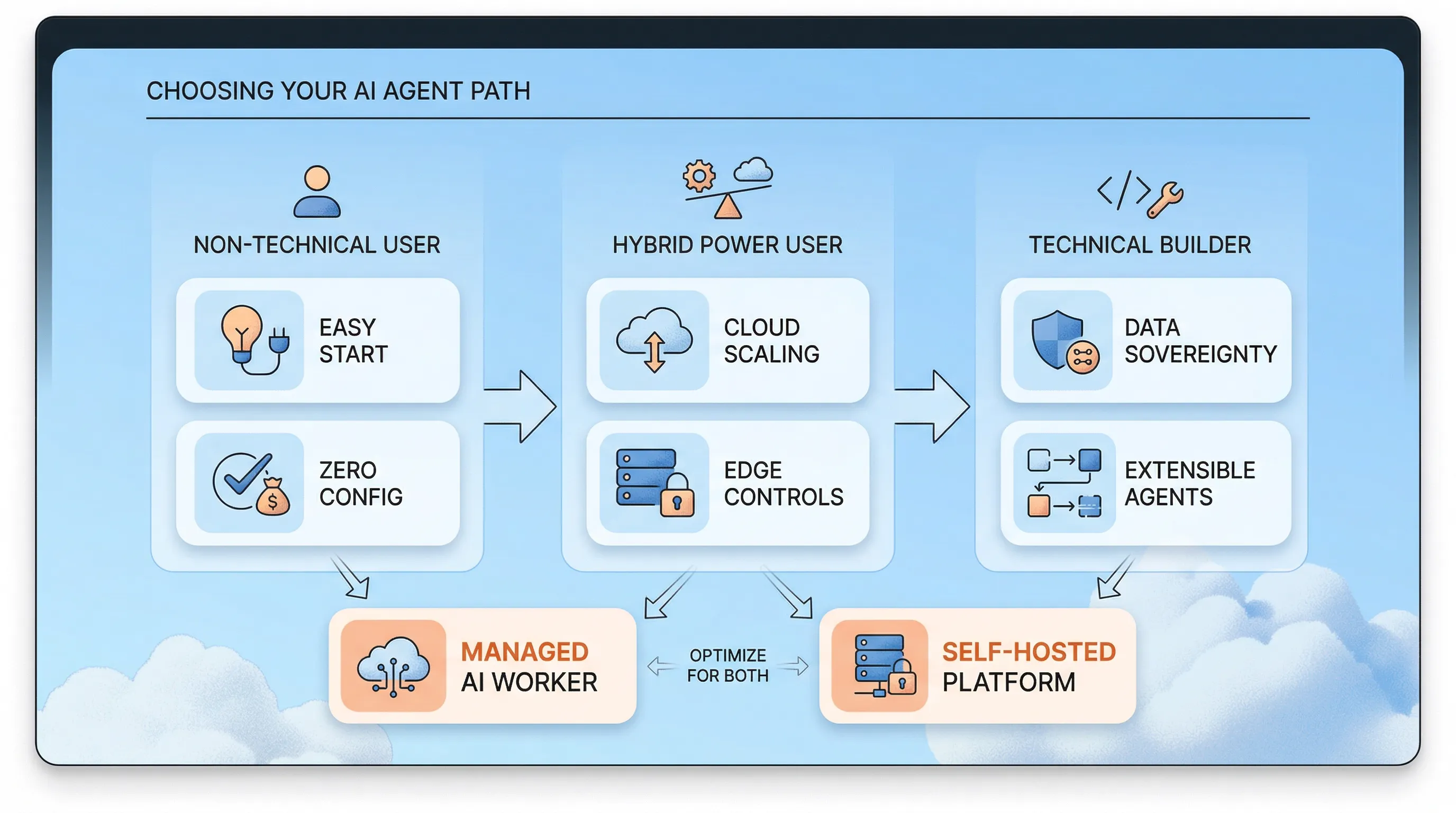
If you are non-technical, Perplexity Computer is the safer recommendation.
If you are technical and want full control, OpenClaw still has the bigger ceiling.
That is why "Perplexity Computer vs OpenClaw" is not really a clone battle. It is a managed worker versus an agent operating system.
So who wins?
For most people who want the cleanest experience, Perplexity Computer.
For builders who want control, channels, and self hosting, OpenClaw.
And for power users, the real answer may be simpler than the debate suggests: Perplexity Computer for polished managed work, OpenClaw for the parts of the stack you want to own.